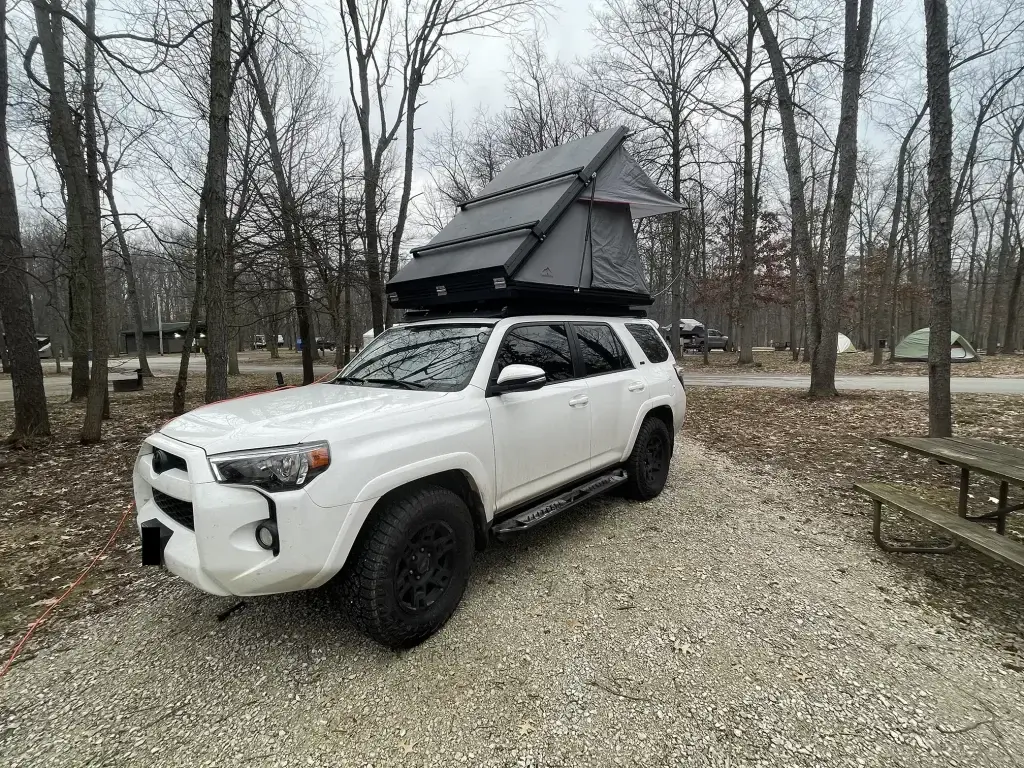
Remote work and overlanding are a natural combination if you set things up correctly. The ability to work from wherever the rig is parked opens up a completely different way to travel, extending trips that would otherwise be limited to weekends and paid time off. But staying connected and powered up in the backcountry requires more thought than just throwing a laptop in the back seat. Here is what to work through before you head out.
How to Work Remotely While Overlanding
Connectivity: Your Options in the Field
The internet connection is the foundation everything else builds on. In the overlanding world you have three realistic options, and most people who work remotely full-time from the road end up using some combination of all three.
Campground Wi-Fi exists at many established campgrounds but the quality varies enormously. A campground that advertises Wi-Fi may have a single router serving dozens of sites, which means the connection is usable at 6 a.m. and unusable by mid-morning when everyone else is on it. Before booking a campground for a work trip, check reviews on Campendium or iOverlander specifically for connectivity notes. Do not assume the Wi-Fi listing means anything beyond the fact that a router exists somewhere on the property.
Starlink has changed the remote work equation significantly. The Starlink Roam plan is designed for mobile use and provides high-speed internet in locations that would have been completely off-grid a few years ago. It is an investment upfront in both hardware and monthly service, but for anyone who needs a reliable connection regardless of location it is the most consistent option available. The dish is portable and sets up quickly. The tradeoff is power consumption, which means pairing it with a solid power setup is important.
Cell phone hotspot is the simplest and most common solution for shorter trips or areas with decent coverage. Your phone’s hotspot capability turns your cellular data plan into a Wi-Fi network for your laptop and other devices. The limitation is coverage, which is where a signal booster becomes relevant.
Signal Boosters: Extending Your Cell Coverage
A cell signal booster does not create a signal where none exists, but it can take a weak signal and make it usable. The WeBoost Drive Reach Overlander is one of the most widely used options in the overlanding community. It uses an external antenna mounted on the vehicle to pull in the strongest available signal and amplifies it for your devices inside. In fringe coverage areas where your phone shows one bar or none, a booster can often get you to a functional connection.
For checking coverage before you commit to a campsite, OpenSignal provides carrier-specific coverage maps that are more accurate than the maps the carriers publish themselves.
Choosing a Campsite With Work in Mind
When connectivity matters, campsite selection becomes a more deliberate process. Elevation can help or hurt depending on the terrain and tower locations. Being on a ridge often improves cell signal significantly compared to being in a valley or canyon. Proximity to a town or highway generally means better coverage than a remote dispersed site deep in a national forest.
It is worth scouting the area on a coverage map before you commit, and having a backup plan for days when the signal is not cooperating. A library, coffee shop, or coworking space in the nearest town can cover video calls or high-bandwidth tasks that the campsite connection cannot handle reliably.
Security: Using a VPN
Any time you connect to a network you do not control, including campground Wi-Fi, a coffee shop, or even an unfamiliar hotspot, your data is potentially visible to others on the same network. A VPN encrypts your traffic so that even if someone is watching the network, they cannot see what you are doing. For anyone handling sensitive work data or accessing company systems remotely, a VPN is not optional.
NordVPN and ExpressVPN are both solid options with mobile apps that make it easy to stay connected through the VPN regardless of which network you are on.
Power: Keeping Everything Running
A reliable internet connection means nothing if your devices run out of power at noon. Power management is the other half of the remote work equation for overlanders.
Solar panels are the most sustainable solution for extended trips. Portable panels from companies like Jackery can charge a power station or battery bank throughout the day while you work, keeping everything topped up without running the engine. The output varies with sun exposure, so understanding your daily power consumption and matching it to your solar capacity is worth doing before you depend on it.
High-capacity power banks and power stations store enough energy to run a laptop and other devices for a full day or more depending on capacity. EcoFlow’s Delta series is a popular choice in the overlanding community for the combination of capacity, output options, and recharge speed.
Vehicle inverters convert your vehicle’s DC power to AC, allowing you to run a laptop or other high-draw devices directly from the battery while the engine is running or paired with an auxiliary battery system. Redarc makes well-regarded inverter and battery management systems used widely in the overlanding community.
Working remotely while overlanding is genuinely possible with the right setup. The combination of Starlink or a solid cell connection, a signal booster for fringe areas, a VPN for security, and a reliable power system covers most of what you need. Start with the connectivity piece since everything else depends on it, and build from there based on where you plan to work and how long you plan to be out.
For more on building out a capable rig, check out the 4Runner overlanding setup post or browse the Adventure Rig Tips archive for more on making the rig work harder.
If you want more practical overlanding and camp setup guides, the Adventure Rig Tips section has more. The Overlanding Gear section has the specific equipment used on real trips if you want to see how the rig comes together. The newsletter is where I share the extra stuff: finds, tips, and things that do not always make it to the blog. Subscribe on Substack if you want to follow along.